
Start using Google Pay today
-
What is Google Pay?
-
Adding a card
-
Card verification
-
Paying in-store
-
Security
-
Paying online
Questions? We’ve got answers
Get started with Google Pay
Google Pay is the fast, simple way to pay in millions of places. After you add a card, you can:
- Pay in stores or for transit using your phone.
- Pay in apps or on websites.
Find out more about what Google Pay is and where it's available
It only takes a few minutes to get up and running with Google Pay.
- Download the app on Google Play or the App Store, or visit pay.google.com.
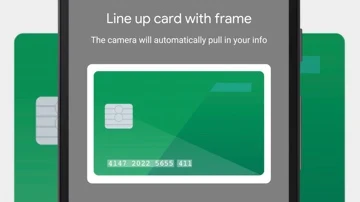
- Sign in to your Google Account and add a payment method.
- If you want to use Google Pay in stores, check to see if your phone has NFC.
That’s it! You’re ready to pay.
You don’t need to add money to Google Pay in order to pay. All you need to do is add a payment method, like a debit or credit card. When you use Google Pay, it’s just like how you would normally use your card.
Use Google Pay
You can use Google Pay in millions of stores, apps, and websites. Here’s how you’ll know it’s accepted.
In stores
You don’t need to see the Google Pay logo to use Google Pay in stores. If the store accepts contactless payments, you can pay with your phone. You can also look for one of these symbols:

In apps and on websites
Pay with Google Pay anywhere you see these logos.

Is it available in my country?
Find out where you can use Google Pay
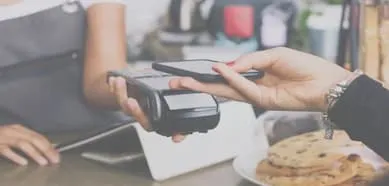
Pay in stores or on transit
- Unlock your phone.
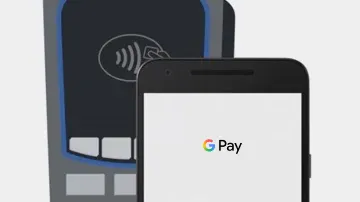
- Hold the back of your phone close to the terminal for a few seconds.
- Follow the instructions on the reader’s screen.
Pay in apps and websites
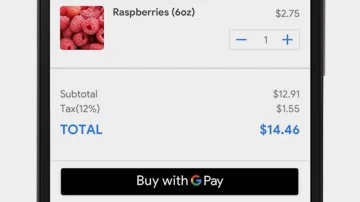
- At checkout, click the Google Pay button. If asked, choose a payment method and enter your shipping address.
- Confirm your order.
If you’re having an issue with Google Pay, find answers in the Help Center.
Manage Google Pay
Google Pay saves your credit cards, debit cards, and bank accounts (US/UK only) so you can pay quickly and easily.
When you use Google Pay, the app keeps a record of transactions you can view later.
Just tap Menu  > Activity.
Secure your account
Google Pay protects your payment info with multiple layers of security, using one of the world’s most advanced security infrastructures to help keep your account safe. When you pay in stores, Google Pay doesn’t share your actual card number, so your information stays secure.
To buy things in stores, Google Pay requires you set a screen lock and unlock for most purchases. If you lose your phone, the screen lock helps prevent fraud. On Android devices, you can also lock and erase it remotely with Find My Device.
If you need to report fraud or dispute a charge, you can request a call, send an email, or chat with Google Pay’s support team.
Can't find what you're looking for? Contact us

Terms Privacy Policy Copyright © 2021 Google LLC
All Rights Reserved
Some features and devices may not be available in all areas